Door-to-door sales app
A Door-to-Door Sales App Built for the Street, Not the Office
Lightning Leads helps reps see nearby leads, work tighter routes, pull owner contact information, and track every stop without the clipboard, spreadsheet, and follow-up mess that slows field teams down.
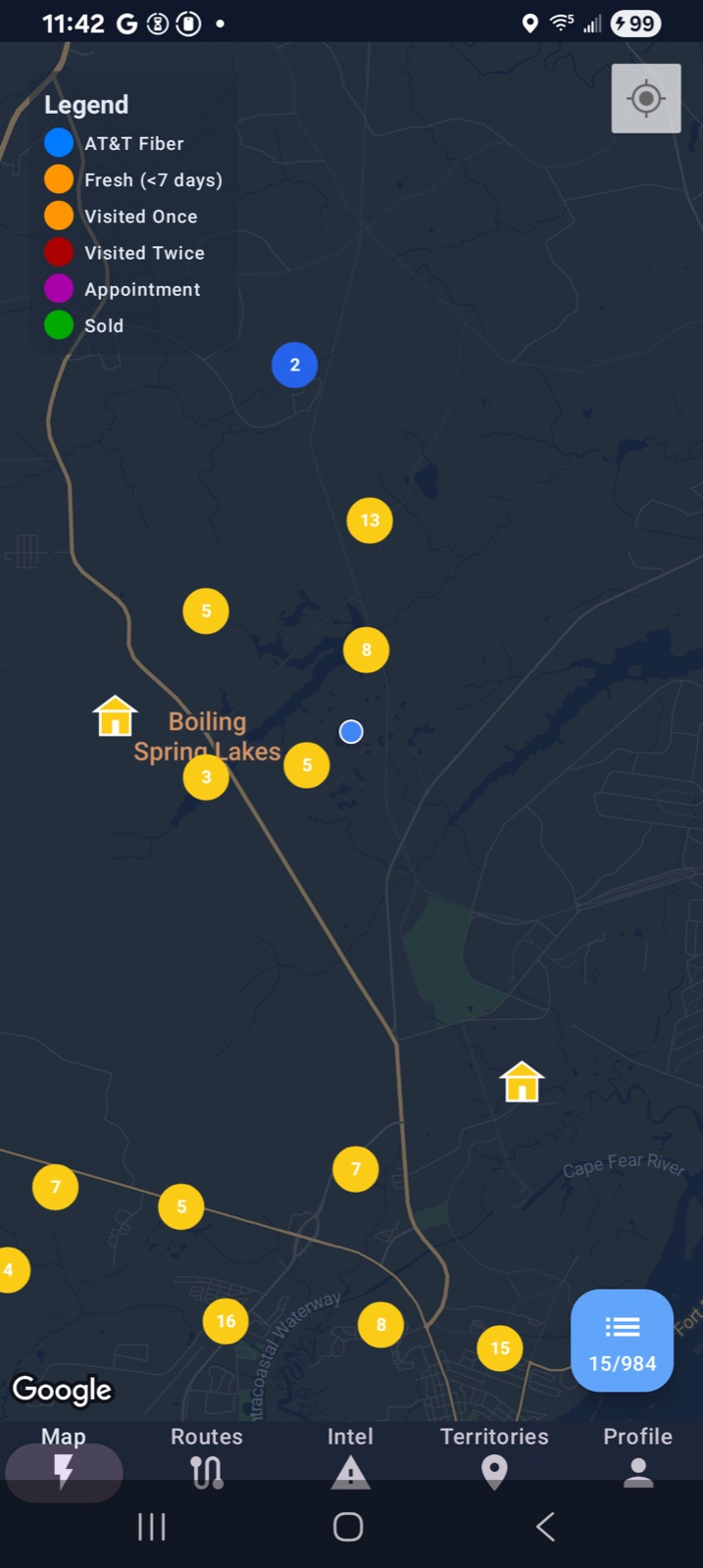
Lead view
See the next cluster instead of guessing which street to hit.
Route flow
Keep the day tighter and cut random bounce-around time.
Contact-ready
Reveal owner phone and email when a lead is worth the next move.
Why reps lose time
Most door-to-door teams do not have a closing problem first. They have a workflow problem.
Too much time gets burned before the real conversation even starts: wrong streets, loose route planning, duplicate coverage, and notes that never turn into next steps.
Blind door selection
Reps waste early energy choosing streets by gut feel instead of working from live lead context and nearby opportunities.
Route waste
A bad route quietly destroys the day. Teams lose doors to drive time, backtracking, and weak neighborhood jumps.
Follow-up that disappears
If the rep had a decent conversation but the note, status, and next action never get captured cleanly, the lead slips anyway.
Nearby lead view
See nearby leads on a live map instead of guessing where to knock next
Lightning Leads puts the next set of opportunities in front of the rep while they are already in the field. That changes the day from random wandering into a more deliberate coverage plan.
- See lead clusters on the map instead of working streets from memory.
- Keep nearby opportunity context visible while the rep is already moving through the neighborhood.
- Work from the phone in the field instead of waiting to clean up the day later.
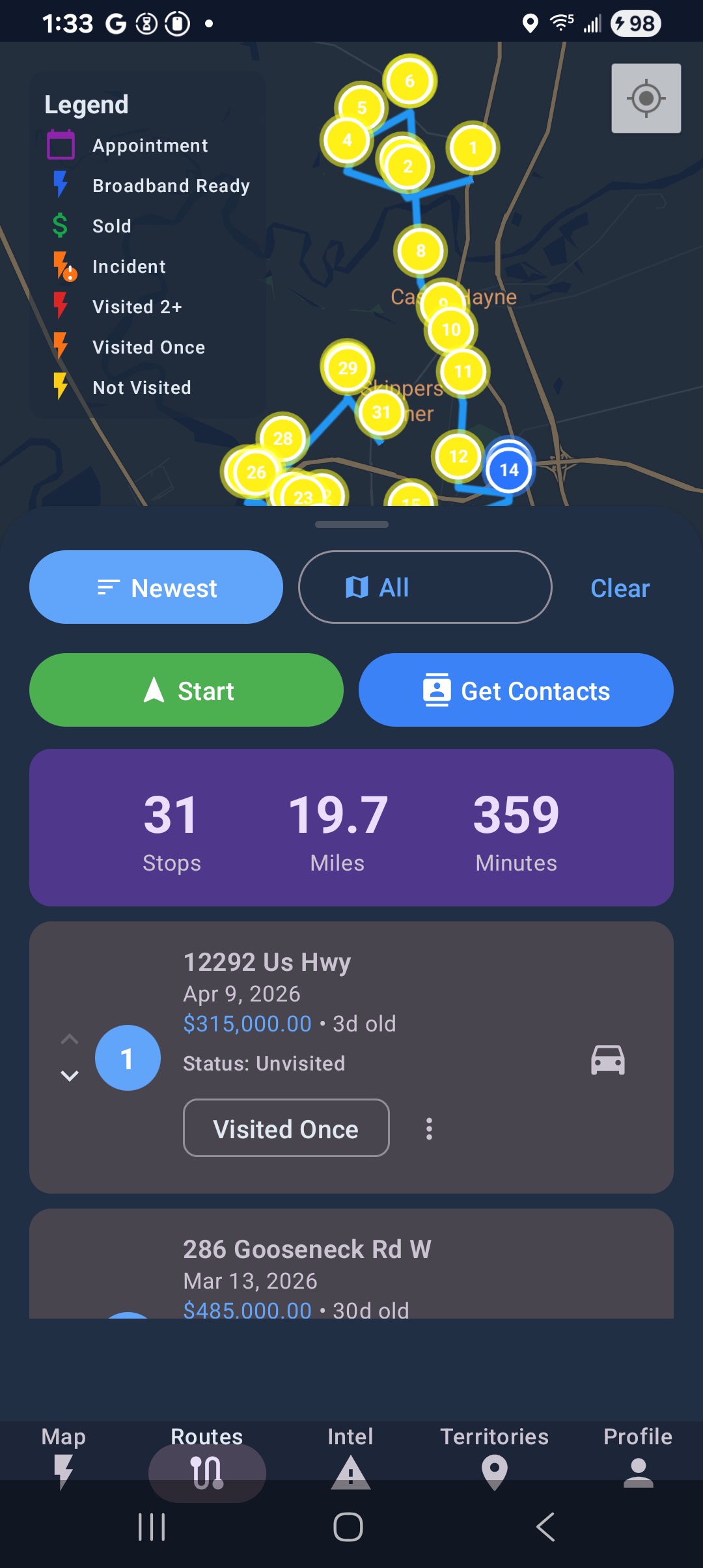
Route workflow
Work a tighter route and waste less drive time
A good door-to-door sales app should help the rep hit more doors per day, not just store data. Lightning Leads keeps the route practical so the rep spends more time in conversations and less time burning daylight between blocks.
Cleaner day planning
Build the day around nearby opportunities instead of chasing disconnected stops.
Less windshield time
Reduce random jumps that quietly kill production over the course of a day.
Better rep rhythm
Keep momentum through the neighborhood instead of stopping to rebuild the route every hour.
Easier manager review
Managers can see cleaner route logic without digging through scattered notes and screenshots.
Contact-ready follow-up
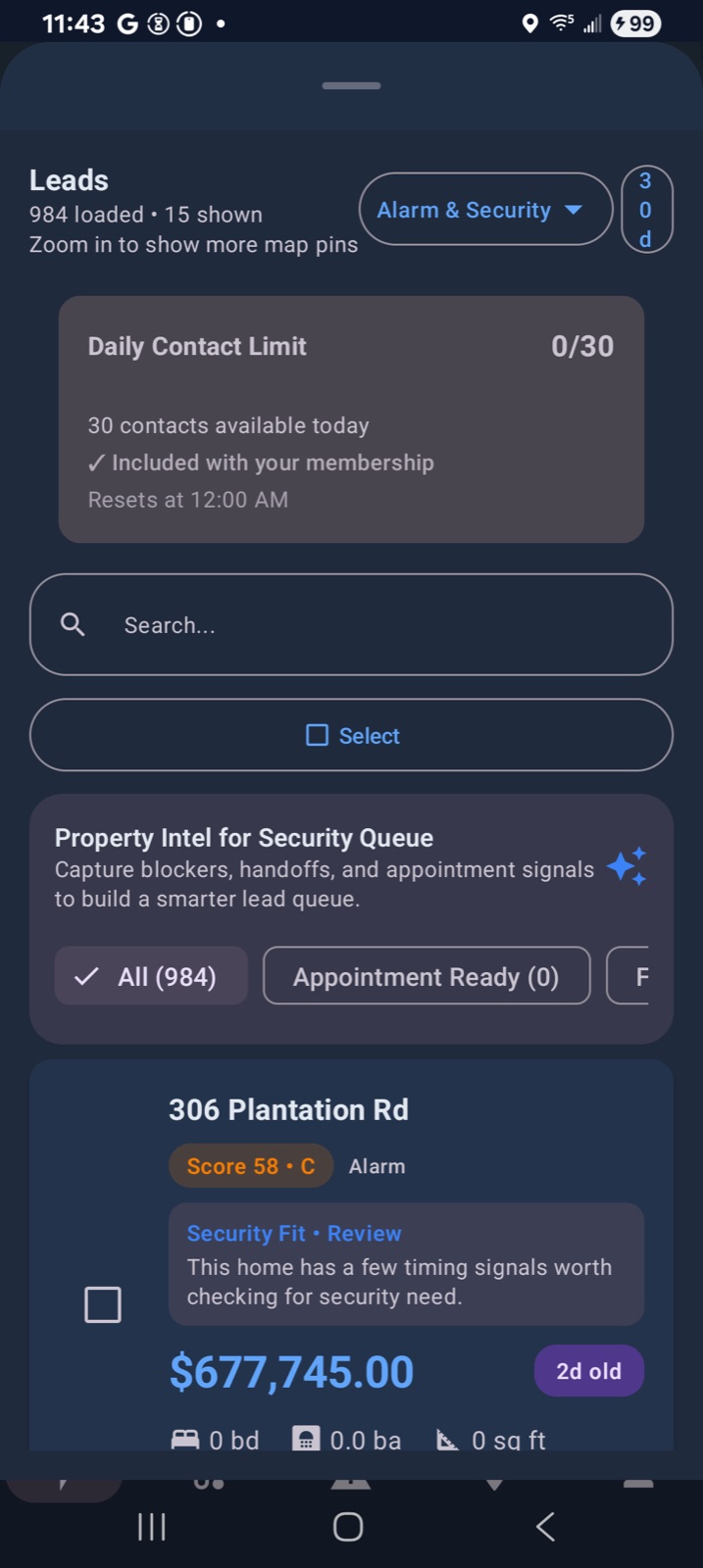
Pull owner info and follow up while the conversation is still fresh
The value of a good conversation disappears fast when the rep has to remember what happened later or dig around for the next way to reach the homeowner. Lightning Leads keeps the lead context, owner lookup, note, and next action close enough to the actual field work that follow-up has a chance to stay real.
- Reveal owner name, phone, and email from the lead card when a door deserves the next move.
- Call, email, text, and save notes from the same workflow instead of rebuilding context later.
- Give managers cleaner visibility into who needs follow-up without slowing reps down.
Built for security first
Built for home security teams first, but useful anywhere reps still have to cover ground
The strongest fit is still home security, because the workflow depends on cleaner street coverage, rep accountability, and better neighborhood choices. But the same door-knocking rhythm also applies to solar, pest control, fiber, and roofing canvass teams.
Best fit right now
If your team still needs to decide where to knock, how to route the day, and how to keep follow-up from getting sloppy, the workflow fits.
Best path to start
- Individual reps can start free in the app.
- Managers can start with one market instead of forcing a full rollout on day one.
- When the workflow fits, move from rep-level use into team structure and territory control.
Practical comparison
Better than clipboards. Cleaner than spreadsheets. More street-ready than generic CRMs.
Lightning Leads is not trying to be a giant office-first CRM. It is trying to help a rep work a better day in the field and help a manager keep the team organized without slowing everything down.
| Workflow | Clipboard / notebook | Spreadsheet stack | Generic field CRM | Lightning Leads |
|---|---|---|---|---|
| Nearby lead context | None | Manual and stale | Usually buried in the workflow | Visible on the map where reps actually work |
| Route workflow | Memory-based | Separate tools and exports | Often heavier than the rep needs | Tighter day planning inside the app |
| Door notes and next step | Easy to lose | Usually updated late | Possible, but slower in the field | Captured close to the actual knock |
| Territory discipline | No guardrails | Manual upkeep | Depends on the setup | Built to support cleaner field coverage |
FAQ
Frequently asked questions
The common questions teams ask before trying a new door-to-door sales app.
A good door-to-door sales app should help reps work a better day in the field. That means nearby lead context, practical route workflow, simple note capture, and enough manager structure to keep the team from overlapping or losing follow-up.
Yes. It is built for reps who still work neighborhoods and need a cleaner way to see leads, move through streets, track what happened at each stop, and stay organized after the conversation.
Individual reps can start free. Teams and managers can use the same core workflow to keep route planning, territory organization, and rep activity cleaner as the group grows.
No. Home security is the strongest fit today, but Lightning Leads also works for solar, pest control, fiber, roofing, and other field sales teams that still depend on neighborhood coverage and strong follow-up.
Start your free field trial
If your reps still work the street, your workflow should too.
Start free as a rep, or request setup help if you want to roll Lightning Leads out with a team and get one market running the right way.
Useful next reads: route planning software, features, home security sales workflow, and best D2D sales app guide.