
Vs SalesRabbit and SPOTIO
Lightning Leads does not stop at mapping. Smart route optimization plus direct contact pull turns doors into outreach faster.
Territory to outreach in minutes.
Lightning Leads turns recent sold homes into optimized routes with built-in contact unlock so reps spend less time planning and more time knocking.
Faster to value than broad canvassing platforms. More relevant than generic routing tools.
Running a team? Plan a team route rollout
01
Draw a territory, build a smart route, and get to optimized stops without losing the first hour to setup.
02
Unlock customer details straight from the route for calls, texts, and follow-up instead of reaching for another tool.
03
Prioritize recent sold homes and other strong signals so the route starts with doors more likely to matter.
How It Works
These four steps show the core workflow: load fresh doors, build a smart route, unlock contacts on the route, and show up ready to have real conversations.
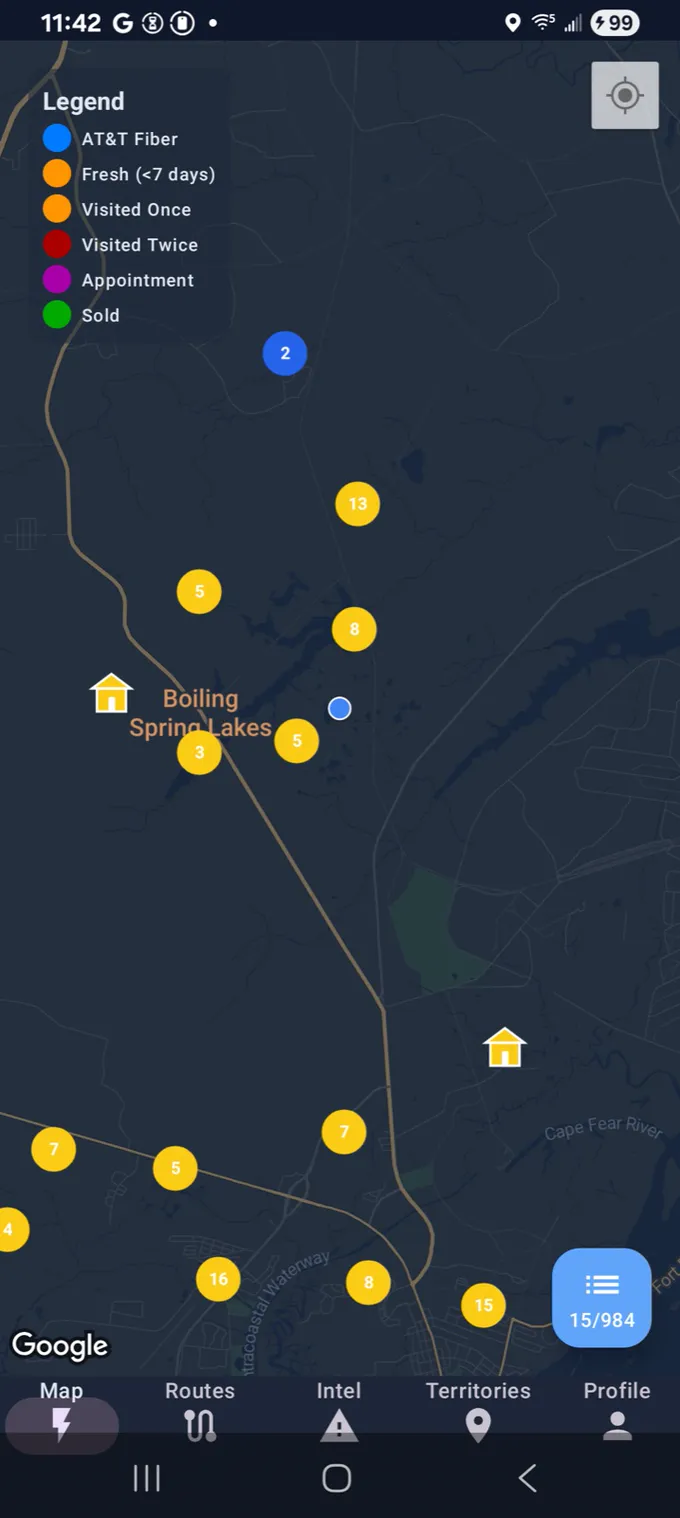
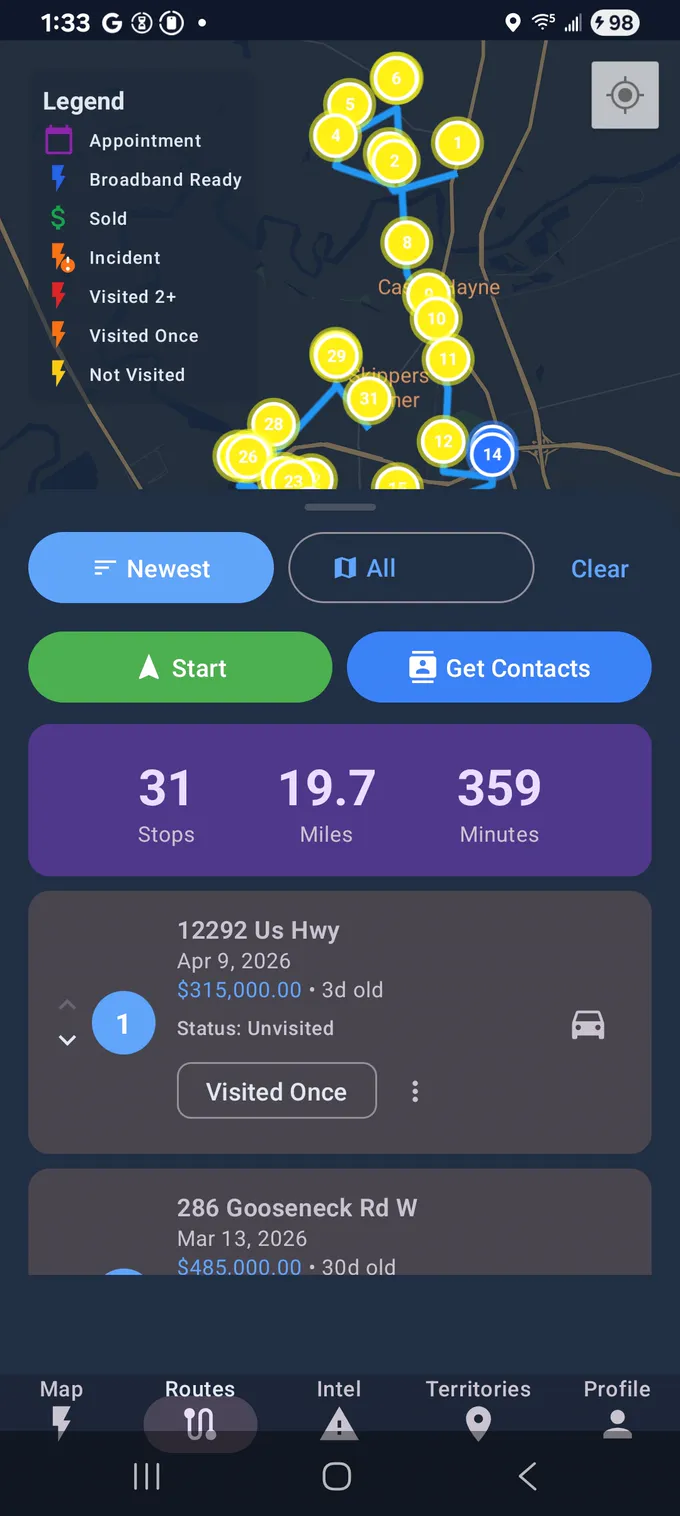
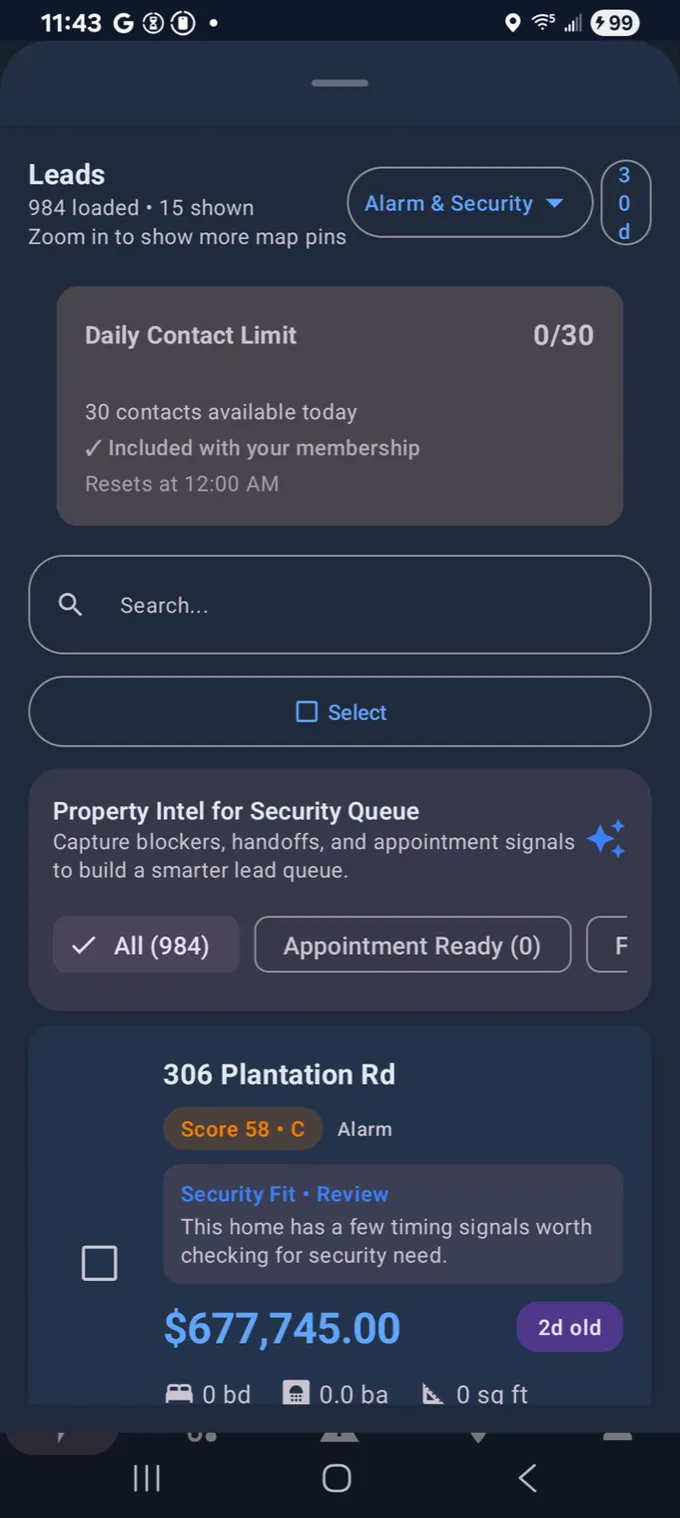
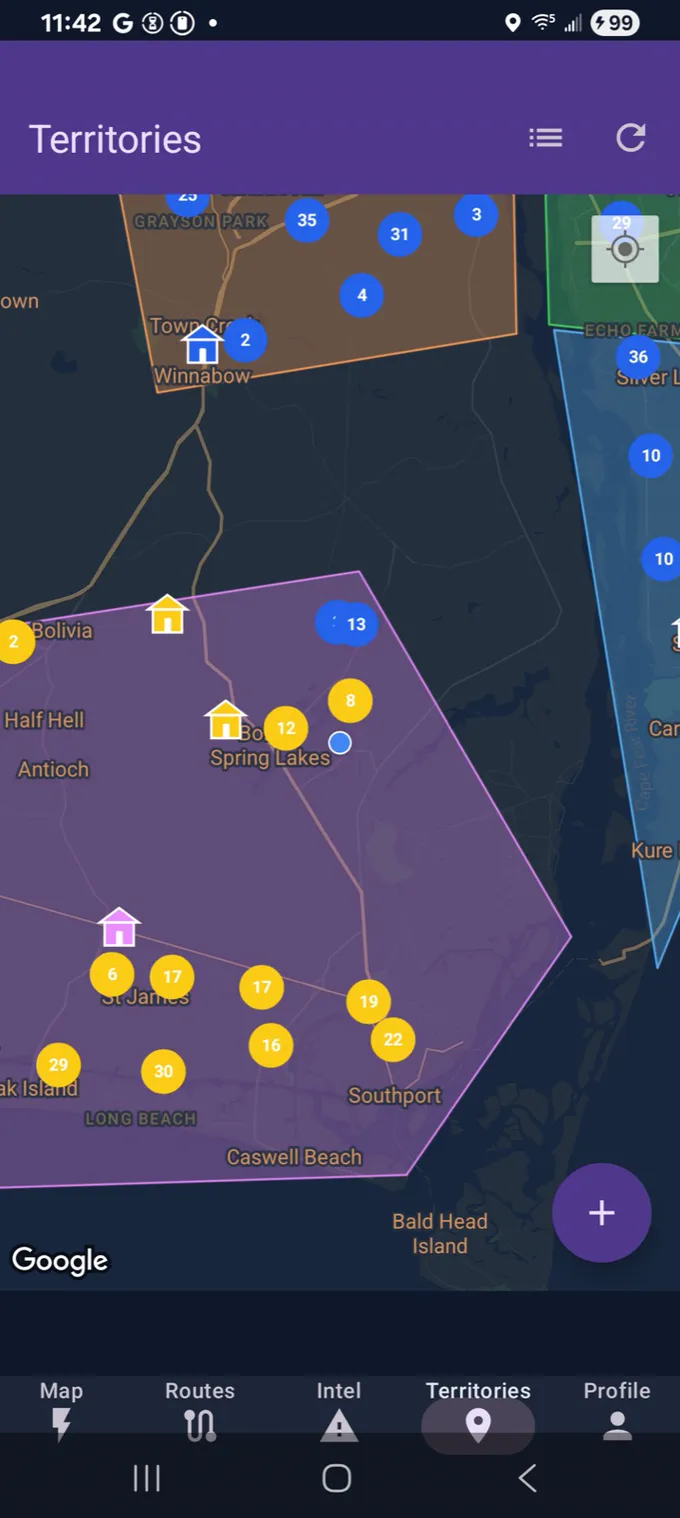
Step 1
Import recently sold homes near your territory and start from doors with recent activity, fiber opportunity, and stronger local signals.
Step 2
Tap once and build an optimized route around the best 8 to 10 stops in a tight cluster so you are not driving all over town.
Step 3
As you work each stop, unlock phone numbers and notes directly in the app instead of hunting for contact info somewhere else.
Step 4
Show up prepared with route context, saved notes, and the contacts that matter so the day turns into real conversations instead of blind knocks.
Best First Buyer
Pilot Motion
What To Prove
What makes Lightning Leads different
Lightning Leads does not stop at mapping. Smart route optimization plus direct contact pull turns doors into outreach faster.
This is sales-specific route building with stronger door relevance and contact unlock, not generic routing without an activation layer.
Territory created, route built, contacts unlocked, and real outreach started with fewer steps between the plan and the conversation.
Pick Your Market
Home security and fiber and telecom are the clearest first markets. Pick the page that matches your team, then see pricing or start free in the app.
Priority Market 01
Best for teams that need to skip protected homes, understand provider context, and keep reps from overlapping neighborhoods.
Priority Market 02
Best for buildout teams that need cleaner coverage, legacy-provider targeting, and a faster way to manage large seasonal canvassing crews.
Secondary pages already exist for solar and pest control, but the first paid and outbound push should stay focused on the two markets above.
For Managers
Managers get a secure login to review dashboards, assign routes, and keep reps from overlapping neighborhoods.
Monitor team health, seats, and performance metrics with a glance.
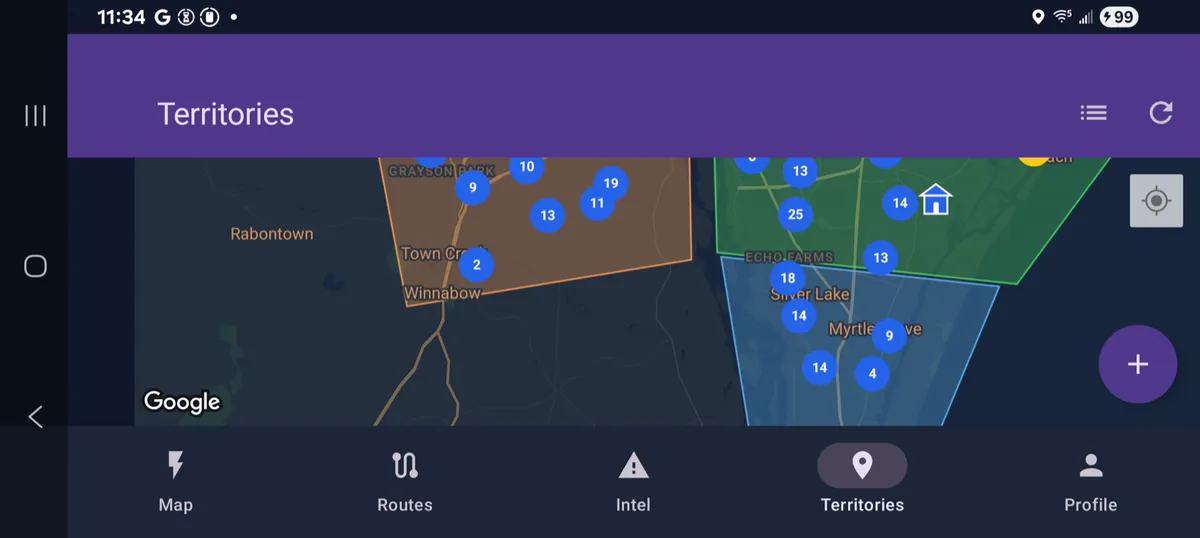
Map areas, assign responsibles, and keep territories balanced.
Managers, leads, and execs only see the data they need through secured access.
Want More Detail?
The simple path is above. This section keeps the fuller walkthrough available for anyone who wants to look under the hood before deciding.
Features
Find better streets to knock, work recently sold homes, and keep field activity organized.
Core Features
See recently sold homes near your territory so the first route starts with stronger streets, not random blocks.
Pull the owner name, phone, and email right from the lead card, then call, email, or save the contact context without leaving the workflow.
Visualize leads, customer context, neighborhood notes, and territories on a field-ready map.
Build a cleaner stop sequence so reps spend less time guessing where to go next.
Track route activity, lead status, and team coverage so the next shift starts with better information.
Advanced Features
Use property and neighborhood context to decide which streets deserve the first hour of knocking.
When a first knock turns into a real opportunity, Pro adds owner contact lookup so reps can reveal the right phone and email and follow up immediately.
Draw territories, prevent rep overlap, and keep every street assigned to the right person.
Give managers a clear view of who is working which territory, what routes are being built, and what lead statuses are moving.
Useful for home security, solar, pest control, fiber, and other field teams that work door-to-door routes.
Route Walkthroughs
Watch the app-choice route workflow before you take it into the field.
Why It Sticks
This is the part that matters after the first route is built: reps stay in one workflow, managers keep rollout cleaner, and buyers can still inspect trust and pricing before they commit.
For Reps
The route, contact pull, notes, and next actions stay together so the day keeps moving once a rep leaves the truck.
For Managers
Managers can assign territories, monitor routes, and keep reps from overlapping neighborhoods as the team scales.
For Buyers
Review trust, integrations, pricing, and field playbooks after the route path is clear and before you roll it out wider.
Build your first route
Move from territory to route to contact unlock in one field-ready flow instead of stitching together planning and outreach tools.
Prefer to compare plans first? See pricing or book a call.